

CORK FLOORING
WECORK offers the best in glue-down and floating cork floors for commercial and residential applications. Our high quality cork comes from Portugal and the Mediterranean region.
Glue down floors come in tiles and rolls, with a wide variety of patterns and finishes to match any decor. Glue down cork products are great for commercial applications such as churches, libraries, educational buildings and hotels.
Floating floors are an easy to install, glue-less solution that uses a Uniclic locking mechanism to click boards together. These durable planks and tiles provide all of the natural benefits you expect from cork floors, and are suitable for residential or light commercial use.
CORK FLOORING VISUALIZER
Our new cork flooring VISUALIZER is a fun, easy to use, feature rich tool! This article covers how homeowners can visualize cork flooring in their rooms, and how Flooring Dealers, Architects, Designers, and Builders can help their clients picture cork flooring in their their spaces.
CORK FLOORING VISUALIZER FEATURES
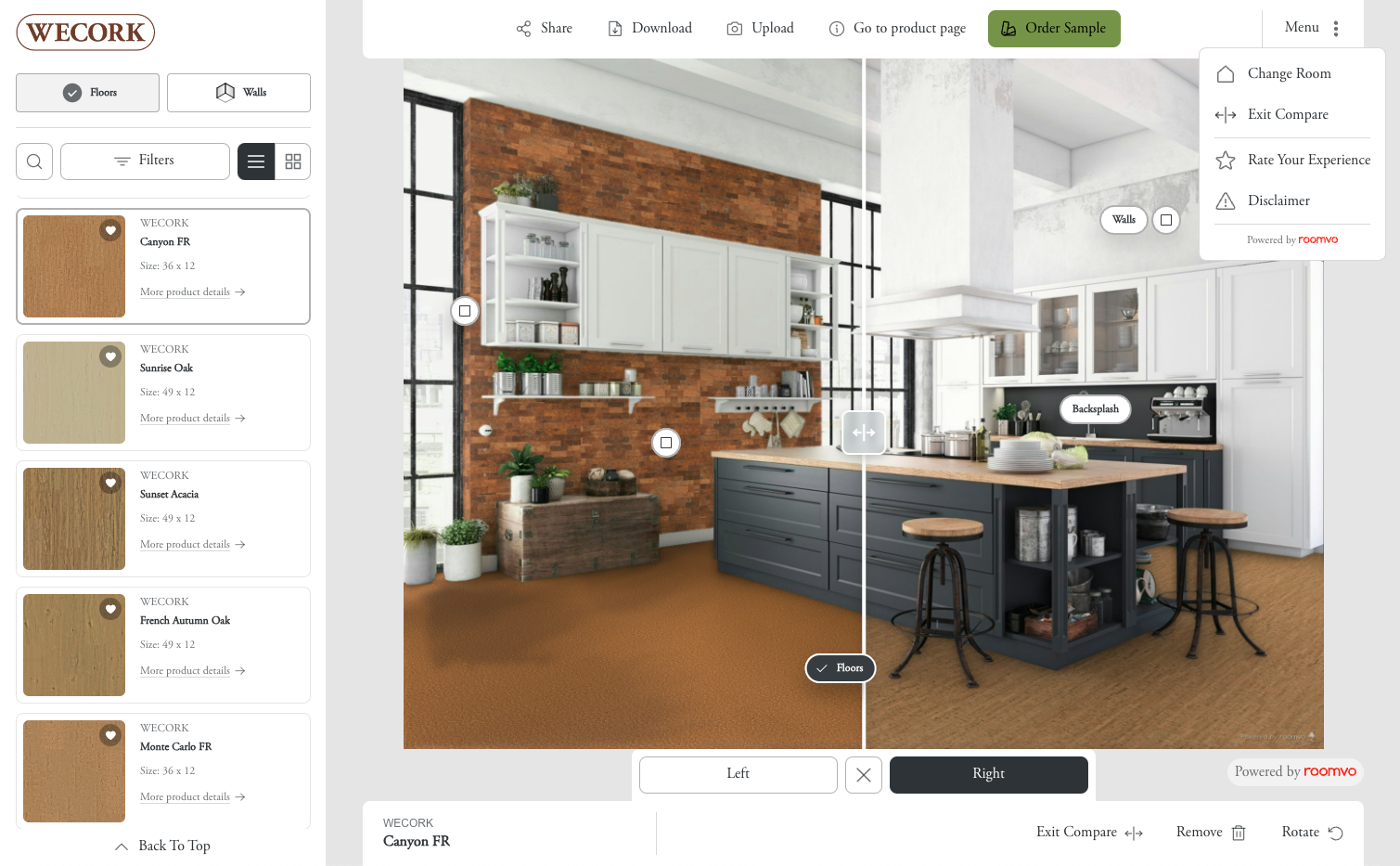
Our new cork flooring visualizer is a powerful and creative design tool! The functions within the visualizer include:
- Upload – Upload room pictures from a device, or Take a Photo and upload it (mobile or tablet).
- Change Room – Change to another uploaded image or a stock room image.
- Floors – Change the flooring to a WECORK floor.
- Walls – Add WECORK wall coverings to one or more wall or backsplash.
- Remove – Remove a floor or wall selection and revert to the original photo.
- Search – Search for a product by spelling its name.
- Filter – Filter products by color, collection, visuals, etc.
- Clear Filters – Remove all filters so that all products appear in the list again.
- Compare – Compare floors side-by-side, moving the middle slider left or right to modify the view.
- Exit Compare – Return to single floor view.
- Rotate – Rotate the direction of the floor planks or tiles.
- Go to Product Page – See the visualized product on the WECORK website.
- Order Sample – Order a sample of the visualized product from the WECORK sample store.
- Share – Share visualizations with a link or via Facebook, Whatsapp, or email.
- Download – download visualizations to your device(under Share on mobile or tablet).
The visualizer appears differently on desktop and laptop computers than it does on mobile phones and tablets. Although the interface is slightly different, the functionalities are all the same. See the images below to compare where functions are located.